top of page
Coding and Microcontroller Experiments
This project brought together coding and microcontroller experiments to explore how software and hardware work together to create interactive technology. I began by breaking each idea into smaller systems, planning the steps, and testing one part at a time before combining everything into a finished project. The coding work focused on building clear logic with variables, conditions, loops, events, and timing. In Scratch, I developed an interactive game and refined the movement, gravity, collision detection, scoring, and obstacle timing through repeated playtesting. Small changes could have a major effect: one incorrect condition could stop an action, a timing value could make the game feel too fast or too slow, and a minor logic error could cause unexpected behavior. Debugging required me to read the code carefully, isolate one problem at a time, and make changes without creating new issues elsewhere.
The microcontroller experiments added a physical, hands-on challenge. Components had to be connected to the correct pins, powered safely, and matched to the program. Loose wires, reversed components, inaccurate sensor readings, timing problems, and communication issues between the code and the hardware could all make a working idea appear broken. Troubleshooting meant checking the wiring, reviewing the code, testing individual components, and observing how each change affected the system. The first attempt rarely worked perfectly, so patience and flexibility were important throughout the process.
The most rewarding part was seeing the final projects respond to my decisions. A game reacting to player input or a microcontroller operating a physical component showed how abstract code can produce a real result. These projects strengthened my debugging, problem-solving, creativity, persistence, and confidence. They also showed me that mistakes are an important part of building technology because each challenge provides information that can improve the next version.

01
Coding and Microcontroller Experiments

01
Micro-controllers
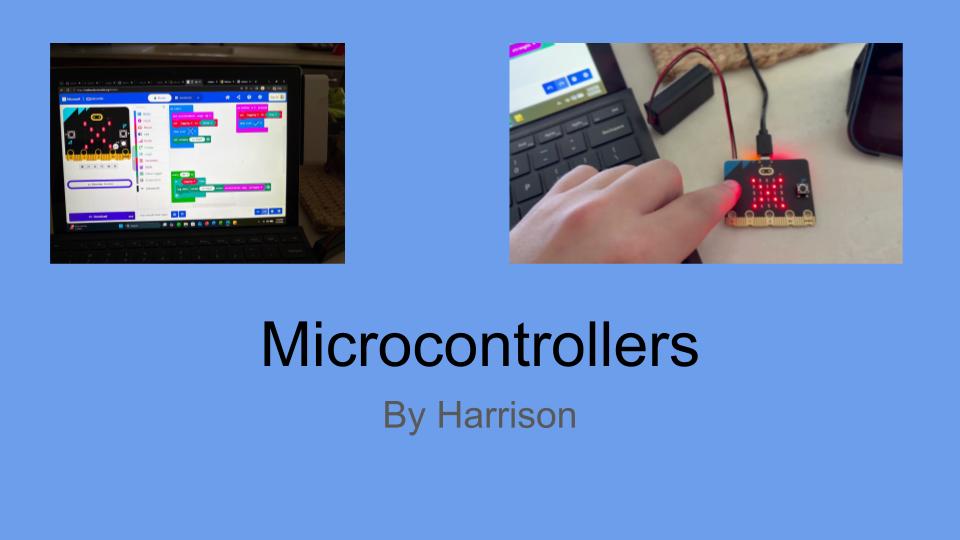
For this assignment, I explored microcontrollers by using a BBC micro and Microsoft MakeCode to create a program that collected data using the device's built-in accelerometer. Through block-based programming, I was able to explore how coding, physical movement, and data collection could work together. This experience introduced me to another way technology can be used to create hands-on learning opportunities.
One of the biggest takeaways from this assignment was understanding how microcontrollers can help students connect technology to real-world situations. While programming was a learning experience, it also showed me the importance of experimenting, troubleshooting, and making adjustments when something does not work as expected.
As a sixth-grade social studies teacher, I could see opportunities to incorporate microcontrollers into interdisciplinary projects. For example, students could collect and analyze data while connecting their findings to geography, environmental conditions, or other real-world topics.
Overall, this assignment helped me better understand the educational value of microcontrollers and maker-centered learning. It reinforced the idea that students can develop problem-solving, critical-thinking, and technology skills through hands-on activities rather than simply learning about technology through traditional instruction.
One of the biggest takeaways from this assignment was understanding how microcontrollers can help students connect technology to real-world situations. While programming was a learning experience, it also showed me the importance of experimenting, troubleshooting, and making adjustments when something does not work as expected.
As a sixth-grade social studies teacher, I could see opportunities to incorporate microcontrollers into interdisciplinary projects. For example, students could collect and analyze data while connecting their findings to geography, environmental conditions, or other real-world topics.
Overall, this assignment helped me better understand the educational value of microcontrollers and maker-centered learning. It reinforced the idea that students can develop problem-solving, critical-thinking, and technology skills through hands-on activities rather than simply learning about technology through traditional instruction.

02
Scratch Assignment (1)
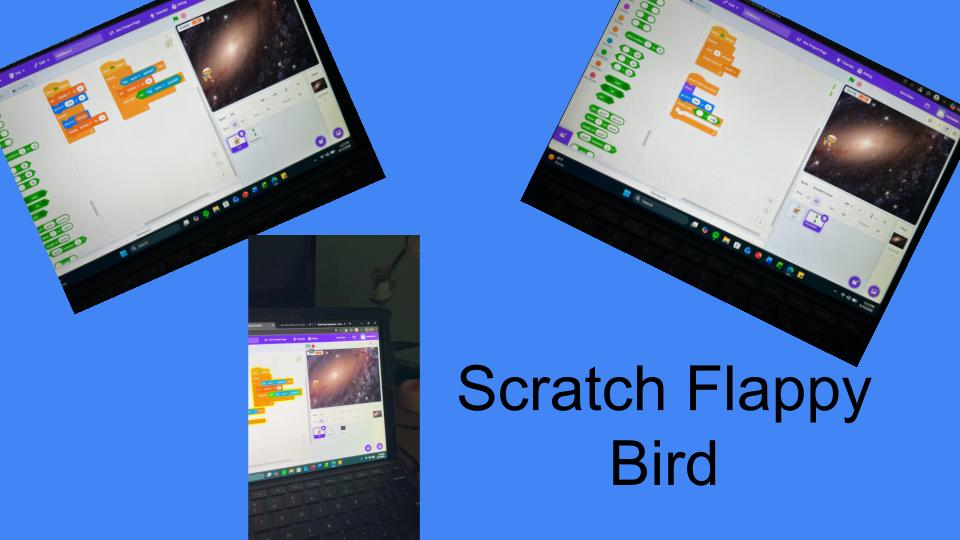
For this assignment, I used Scratch to create my own version of the popular Flappy Bird game. The goal was to explore block-based coding and better understand how students can use programming to create interactive games. I had to work with different coding blocks to control the bird's movement, create obstacles, and make the game function properly.
One of the biggest challenges I faced was getting the different parts of the game to work together. Scratch was relatively easy to navigate, but figuring out how to make the bird move correctly and respond to obstacles was more difficult than I originally expected. There were times when I had to go back through the code, identify what was causing a problem, and make adjustments. It was frustrating when something that seemed simple did not work the way I wanted it to. However, troubleshooting and experimenting with different solutions became an important part of the learning process.
As a sixth-grade social studies teacher, I could see how Scratch could be used to give students more creative ways to demonstrate their understanding. For example, students could create interactive geography games, historical quizzes, or simple simulations connected to what we are studying in class.
Overall, this assignment helped me better understand the challenges students might face when learning to code for the first time. It also reinforced the importance of patience, problem-solving, and learning through trial and error. While creating the game was challenging, it showed me how coding activities can encourage creativity and critical thinking while giving students a sense of accomplishment when their projects finally work.
One of the biggest challenges I faced was getting the different parts of the game to work together. Scratch was relatively easy to navigate, but figuring out how to make the bird move correctly and respond to obstacles was more difficult than I originally expected. There were times when I had to go back through the code, identify what was causing a problem, and make adjustments. It was frustrating when something that seemed simple did not work the way I wanted it to. However, troubleshooting and experimenting with different solutions became an important part of the learning process.
As a sixth-grade social studies teacher, I could see how Scratch could be used to give students more creative ways to demonstrate their understanding. For example, students could create interactive geography games, historical quizzes, or simple simulations connected to what we are studying in class.
Overall, this assignment helped me better understand the challenges students might face when learning to code for the first time. It also reinforced the importance of patience, problem-solving, and learning through trial and error. While creating the game was challenging, it showed me how coding activities can encourage creativity and critical thinking while giving students a sense of accomplishment when their projects finally work.
bottom of page